
Stuck with the “billed date is greater than batch date Medicaid” rejection? This common home care billing error is easy to understand and fix – learn simple steps to stop claim denials and get paid faster.
Hey there, if you work in home health care and bill Medicaid, you’ve probably seen that frustrating message: billed date is greater than batch date Medicaid. It pops up and stops your payment cold. I know how annoying that feels – you’re doing great work helping people, but money gets stuck because of a date mix-up.
Don’t worry, it’s a fixable problem. Many agencies face this, especially with new rules for electronic visit verification (EVV). Let’s break it down like we’re chatting over coffee.
Here are the big things you’ll learn today:
- This error means you’re trying to bill for care that hasn’t happened yet.
- It mostly happens in home care when using EVV systems.
- Quick checks before sending claims can stop most of these rejections.
- Good habits can cut your denial rate way down – some agencies drop them by 90%.
- Always make sure visits are fully done before billing.

What Does This Error Mean?
Picture this: Your caregiver is still at a client’s house helping with dinner, but your office already sent the claim to Medicaid saying the visit is over. Medicaid looks at the dates and says, “Wait, you billed for a service that happens in the future? No way!”
The billed date is greater than batch date Medicaid error means the date of the care (billed date) comes after the day you sent the batch of claims. Medicaid won’t pay for future work – it’s a rule to keep things honest and stop mistakes.
This shows up a lot in states with strict EVV rules, like Texas, Colorado, and New York. With more EVV checks in 2025, these errors are popping up more often.
Key Dates in Medicaid Claims
Let’s keep it super simple. There are two main dates Medicaid cares about:
- Billed date (or date of service): This is the day the caregiver actually gave the care.
- Batch date: This is the day your office bunches up claims and sends them to Medicaid.
The billed date has to be the same day or earlier than the batch date. EVV tools help check this by recording when caregivers clock in and out.
If the caregiver hasn’t clocked out yet, the system thinks the visit is still going on – so the date looks like the future.

Common Causes of the Error
This error sneaks in for a few everyday reasons:
- Sending claims the same day before the visit ends.
- Caregivers forget to clock out in the EVV app.
- Your billing software batches claims too early, like at night for same-day visits.
- Time zone glitches or phones not syncing right.
- Adding visits that are planned but not finished yet.
One agency I heard about kept getting hits because they batched every evening – but many caregivers finished after midnight.
Real-Life Examples from Agencies
Think about a busy home care team in Texas. They sent claims every night at 8 PM. Lots of evening shifts went past that, so Medicaid saw future dates and rejected them. After they switched to morning batches for the day before, rejections almost stopped.
Another group with offices in different areas had phone sync problems. Visits looked unfinished because the app hadn’t updated. A quick fix was teaching everyone to refresh the app – problem solved fast.
These stories show it’s normal, and small changes make a big difference.
.webp)
How to Fix Rejected Claims
Got a rejection? No panic – here’s what to do step by step:
- Open your EVV system and check if the visit is marked complete with clock-out time.
- Fix any wrong dates or add the missing clock-out.
- Wait for the next batch and send the claim again.
- If it’s a rare weird case, call your state’s Medicaid help line for advice.
Most fixes take just minutes, and the claim gets paid soon after.
Easy Ways to Prevent This Error
Stopping the problem before it starts is best. Try these simple tricks:
- Run a quick report in EVV to see only finished visits before batching.
- Set your software to skip any visit without a clock-out.
- Teach caregivers to always clock out right away – maybe add a fun reminder.
- Batch claims in the morning or after most shifts end.
- Pick billing tools that check dates automatically.
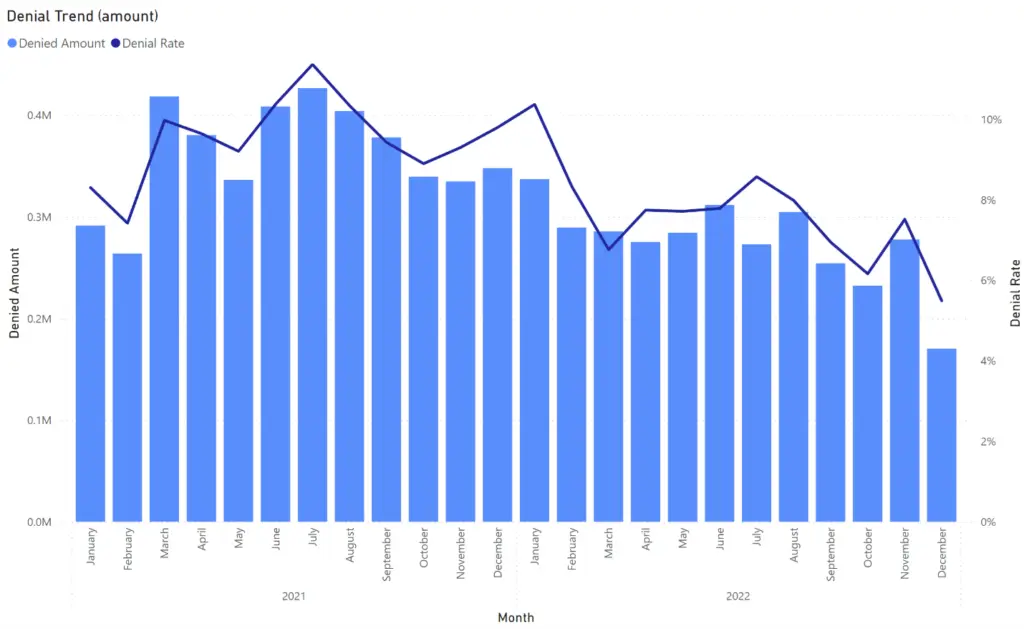
Agencies doing these things see way fewer denials – some say up to 90% less. That means steadier money coming in.
How It Differs from Timely Filing Issues
People mix this up with another common problem – timely filing. That’s when you send a claim too late after the care date.
- This error: Care date is after you send the batch (too early).
- Timely filing: You send way after the care (too late).
Both hurt your cash flow, but the fixes are different. Stay on top of dates both ways!
State Differences to Watch
Rules are a bit different state by state. Places with full EVV like Colorado or North Carolina in 2025 are stricter now. Always peek at your state’s Medicaid website or manual for the latest.
Start today by checking your EVV visits every day – it will save you so much headache and help money flow smoothly. You’ve got this! If you try these tips, your claims will sail through more often.
Frequently Asked Questions (FAQs) Billed Date is Greater than Batch Date Medicaid
What causes “billed date greater than batch date” in Medicaid?
This rejection happens when the date of the care (billed date) is later than the day the claim batch was sent. It’s common in home care with EVV because the system sees the visit as not finished yet. Often it’s from batching claims too early in the day or caregivers forgetting to clock out properly. Fixing the visit record and resubmitting usually works fast.
Is billed date the same as date of service in Medicaid?
Yes, exactly! The billed date is the day the caregiver gave the care to the client – that’s also called the date of service. Medicaid uses it to make sure you’re only billing for work that’s already done, not future visits.
How do I fix Medicaid claims rejected for this error?
First, go to your EVV system and make sure the visit shows as complete with a clock-out time. Fix any date mistakes there. Then wait for your next claim batch and send it again. Most claims get paid right away after that. If it’s stuck, check your state’s rules or call support.
Can this error happen with paper claims?
It’s very rare with paper claims because those go slower. This mostly shows up with electronic claims and EVV in home health care. Electronic batches check dates automatically, so unfinished visits trigger the error right away.
How to prevent billed date errors in home care billing?
The best way is to only include fully finished visits in your batches. Check EVV for clock-outs first, batch in the morning instead of at night, and train caregivers to always clock out on time. Tools that auto-check dates help a lot too. Many agencies cut these errors hugely with daily quick checks.
Does this error affect timely filing limits?
No, it’s a different problem. This one is about billing too soon – before the care is done. Timely filing is about billing too late, like months after the visit. Both can delay payment, but you fix them in separate ways. Keep track of both to stay smooth.